
a company


Techne

τέχνη · craft

Transcode media.

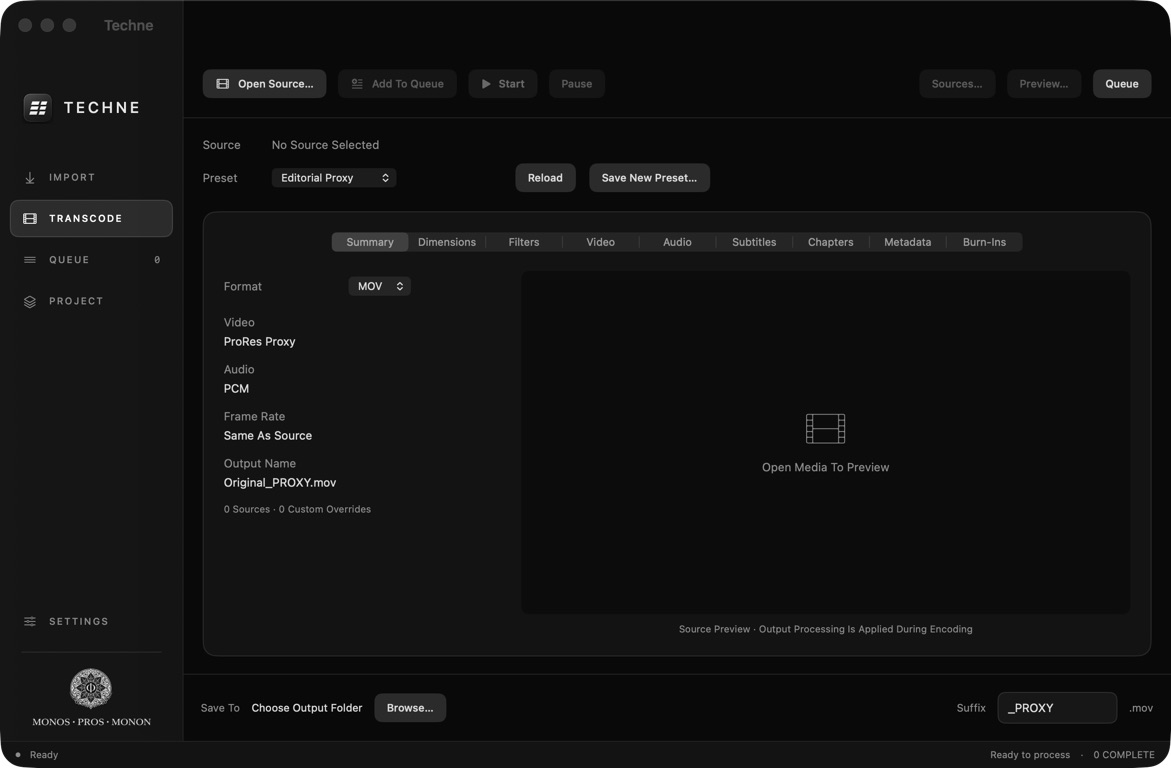
Techne transcoding workspace with proxy presets, output settings and preview

Transcode & Make Proxies

ProRes, DNxHR, H.264 and HEVC, with presets for editorial, review and masters. Apple hardware encoding for H.264 and HEVC.

Copy & Verify

Bring in files, folders or camera cards. Verify copied media with xxHash, MD5 or SHA-256 while retaining the source folder structure.

Preview the Output

Check a processed frame or encode a five-second sample before running the full job. Add filename, timecode or custom text burn-ins.

Keep Work Moving

Batch presets, a persistent queue, pause and resume, and retry controls. Create project folders from your own reusable templates.


Compatible With

Apple

macOS 26 or later · Apple Silicon · v1.0

FAQ

How do I install it?

Open the downloaded disk image and drag Techne into Applications. The app is signed and notarized by Apple.

Do I need to create a project first?

No. Open media in Transcode, choose your settings and an output folder, then add it to the queue. Project templates are there when you need them.

Need help or found a bug?

Email [email protected] with your macOS version, Techne version and steps to reproduce the issue. You can reveal the operation log in Settings.

Questions? [email protected]