a company


Eikon

εἰκών · likeness

LUT Workstation

Inspect, compare, combine LUTs. One-time price.

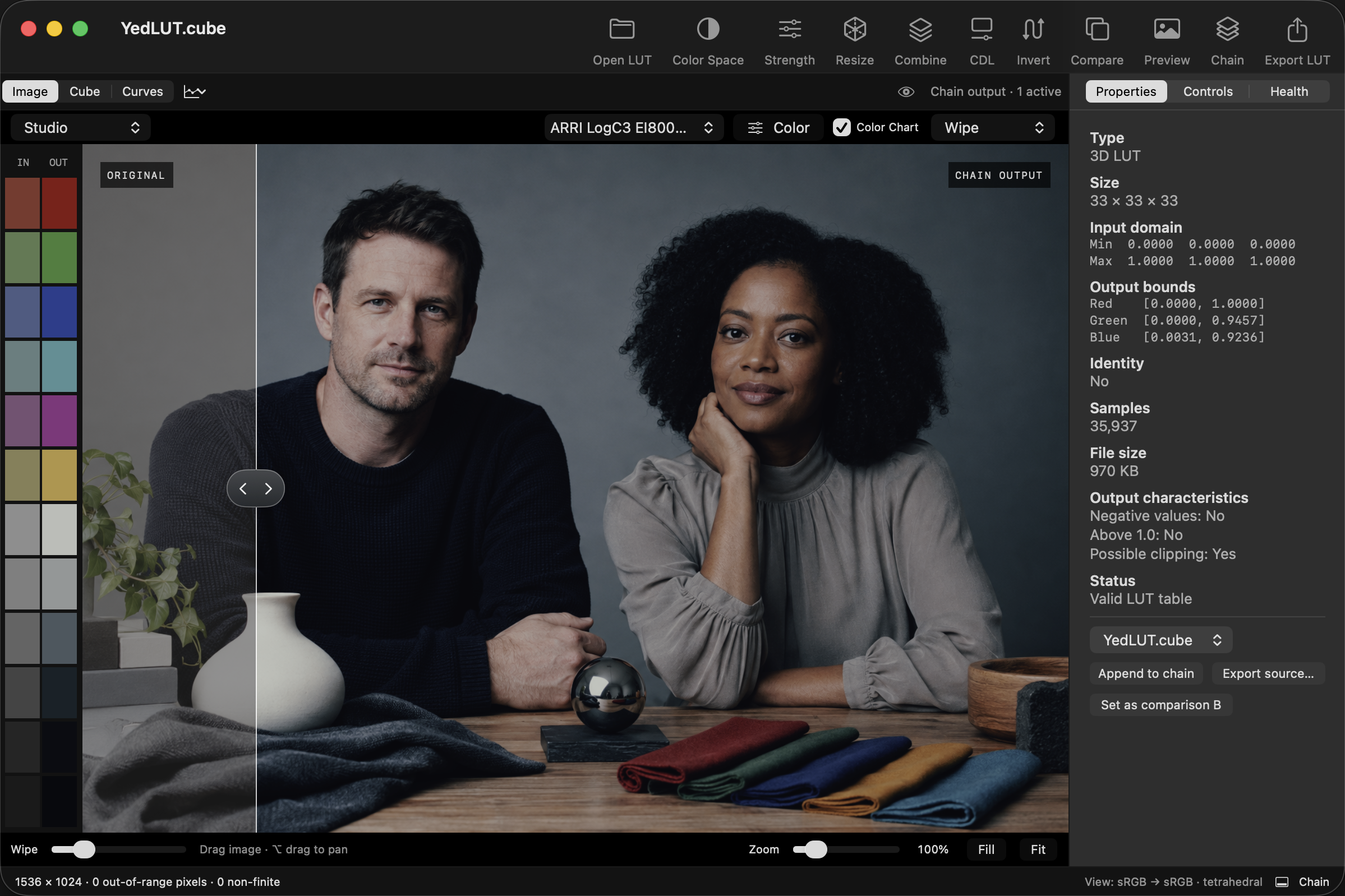
Eikon interface with Studio image, direct wipe and color-chart strip; YedLUT loaded

Strength

Adjust a LUT’s strength.

Combine

Combine LUTs in a chain.

Resize

Export 17-, 33- or 65-point LUTs.

CDL

Adjust slope, offset, power and saturation.

Compare

Compare images, curves and values.

Batch

Resize and convert multiple LUTs.

See your LUT in 3D

Inspect how each color changes.
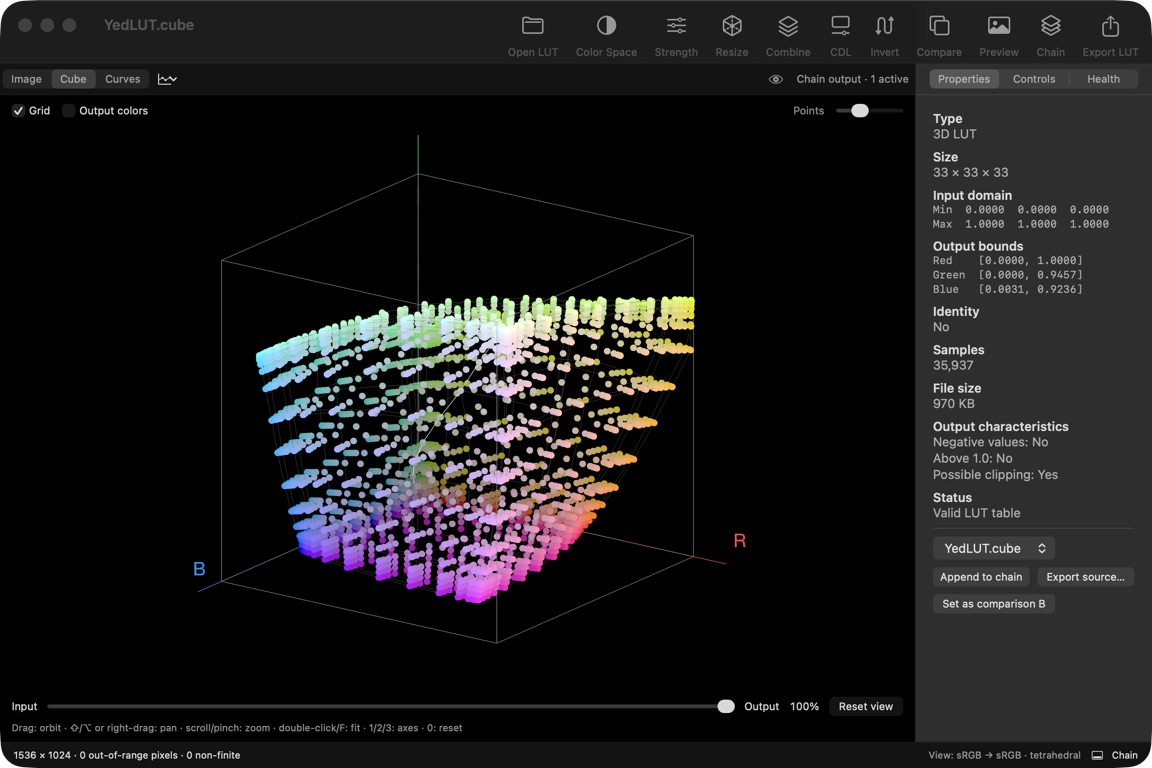
Eikon RGB cube visualization with YedLUT applied

Inspect the curves

Check contrast and channel response.
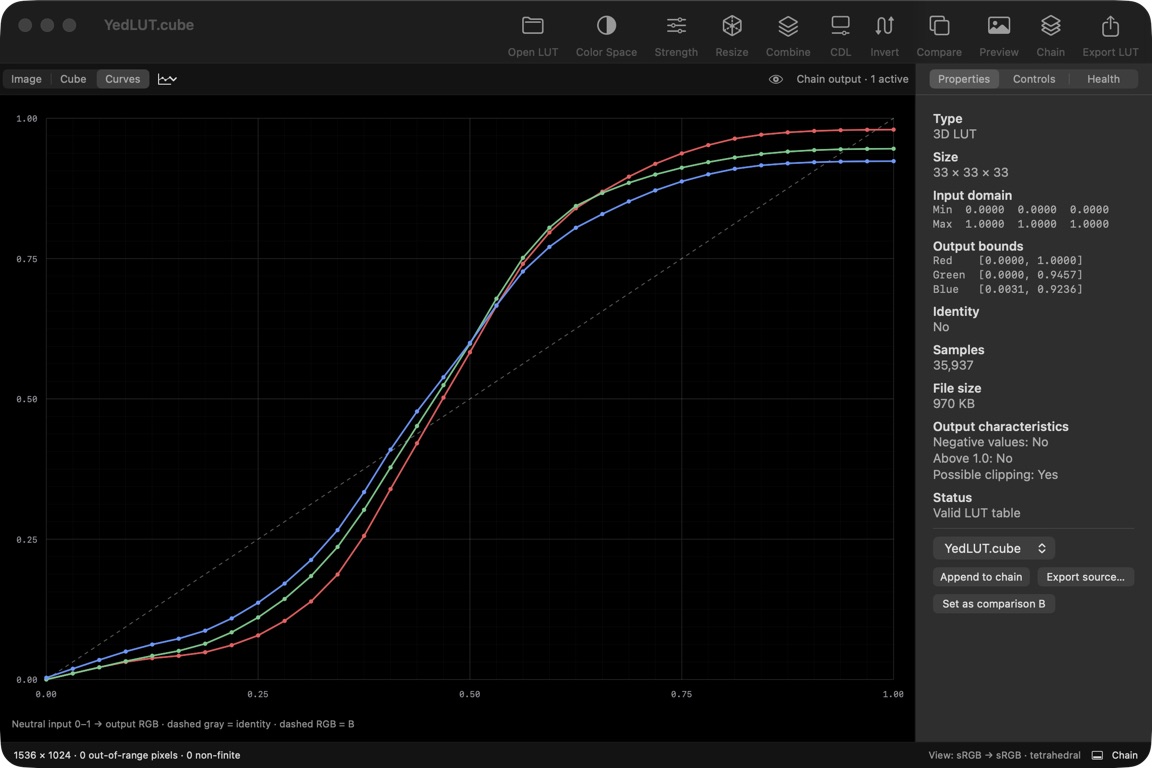
Eikon red, green and blue neutral-axis curves with YedLUT applied

EIKON

$50

Buy

Compatible With

Apple

Compatibility

Which LUT formats work?
FormatImportExport
.cube1D / 3D1D / 3D
Iridas .itx3D · 0–13D · 0–1
Lustre .3dlMesh header17 / 33 / 65
RGB .csvNormalized 1D RGBNormalized 1D RGB
ASC CDL XML.cc / .ccc / .cdl.cc
Hald / cube-strip imagesTIFF / PNG16-bit TIFF

Use standalone 1D or 3D .cube files. Lustre .3dl files need a Mesh header; headerless Flame files are not supported. CDL files must contain one correction. CSV files need three evenly sampled RGB columns from 0–1. Image LUTs use Hald or horizontal-strip layouts.

Which color spaces work?

Choose the input color space yourself; Eikon does not detect it. Camera presets describe color encoding, not a camera look. ACES support covers primaries and curves, not the full ACES pipeline.

Which images can I use?

Open JPEG, PNG and TIFF images, or use the ten built-in photos and test patterns. Export full-size 16-bit TIFFs in sRGB.
Video and camera RAW are not supported.


FAQ

How many Macs can I use?

Two per license. Activate once online with your purchase code. No renewal required.

Does it work with Resolve?

Yes. Export a .cube LUT and load it in Resolve. Eikon runs as a separate app.

Questions? [email protected]